Not sure what your iPhone battery health percentage actually means? This guide explains it in plain language and tells you exactly when it is time to replace.
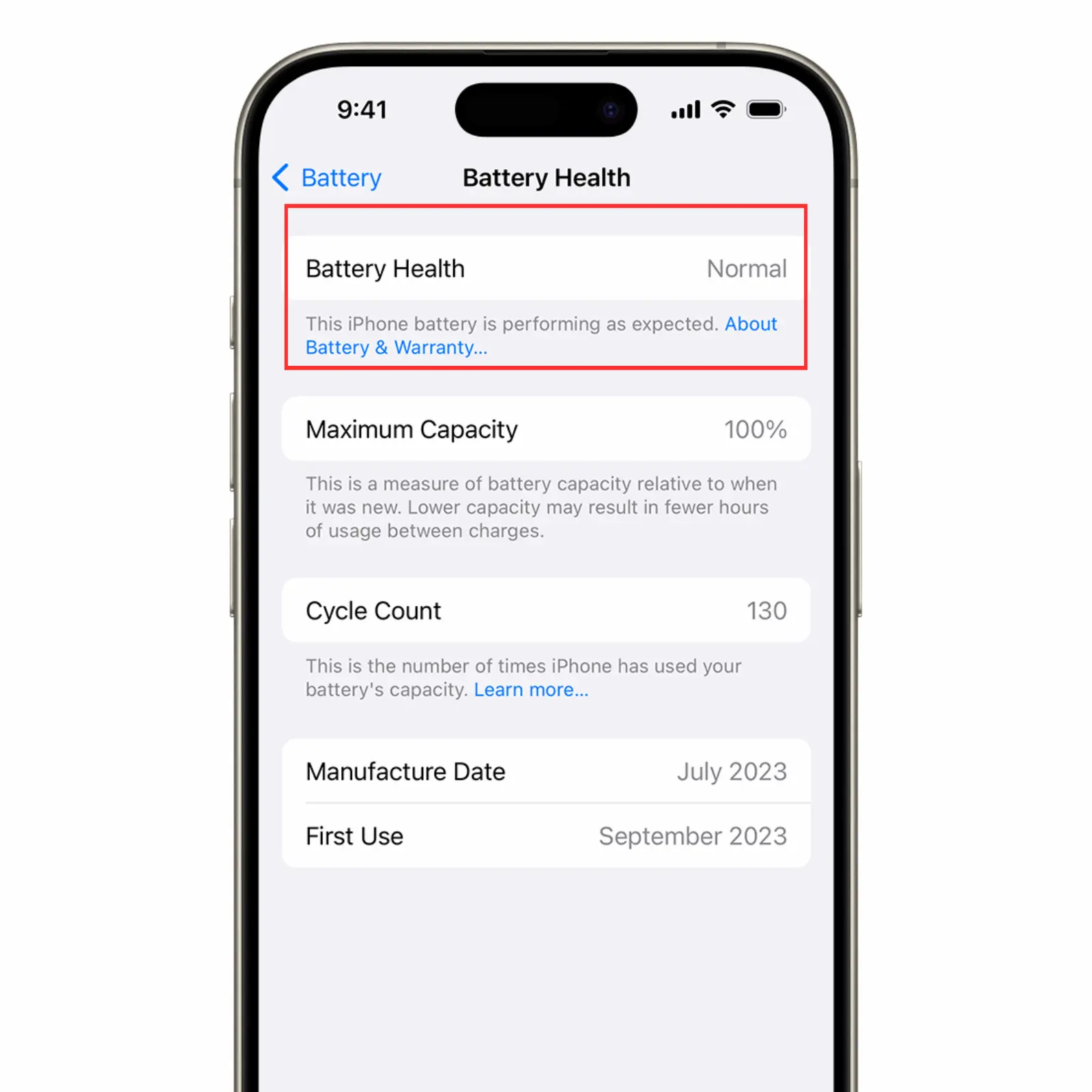
Most iPhone owners have seen the battery health percentage in Settings but are not sure what it actually means or when they should do something about it. A brand new iPhone starts at 100 percent. Over time that number drops as the battery goes through charge cycles. When it gets low enough the phone starts shutting down unexpectedly, draining faster than it should, and slowing itself down to protect the hardware. This guide explains what the numbers mean, when you actually need to replace the battery, and what to expect when you do.
Takes about 10 seconds. Here is how to find it.
If you see a message saying your battery has significantly degraded it means Apple has already flagged it as needing replacement.
Here is a quick reference for what each range means in real life.
| Battery Health | What It Means | What to Do |
|---|---|---|
| 100% to 90% | Battery is in great shape | Nothing needed |
| 89% to 80% | Normal wear, noticeable drop in daily life | Consider replacing soon |
| 79% to 70% | Significant degradation, random shutdowns likely | Replace soon |
| Below 70% | Battery is failing | Replace now |
Apple considers 80 percent the threshold for a degraded battery. Most people notice a real difference in daily use around 85 percent.
Every time you charge your iPhone the battery goes through a charge cycle. Apple says most iPhone batteries are designed to retain up to 80 percent of their original capacity after 500 full charge cycles under normal conditions. In real life that works out to roughly 1.5 to 2 years of daily use before you start noticing the drop. Heat is the biggest enemy of battery health. Leaving your phone in a hot car or charging it overnight on a thick case both accelerate degradation. Fast chargers also wear batteries down faster than standard chargers over time.
Apple introduced a feature called performance management that automatically slows down the iPhone processor when battery health is low. The reason is that a degraded battery cannot deliver the peak power a fast processor demands. Without the slowdown the phone would shut down unexpectedly under load. You might notice apps take longer to open, the camera is slower to launch, or the phone feels generally sluggish. Replacing the battery fixes this immediately. The phone goes back to full speed once it has a battery that can deliver consistent power again.
The single best thing you can do is avoid extreme heat. Do not leave your phone in a hot car or in direct sunlight for extended periods. Keeping your charge between 20 and 80 percent rather than running it to zero and charging to 100 also helps over time. Apple built an Optimized Battery Charging feature into iOS that learns your charging habits and slows the charge rate to 80 percent overnight. It is worth leaving this on. Using a MagSafe or wireless charger generates more heat than a wired charger so if battery health matters to you, stick to wired charging when possible.
Common questions about iPhone battery health and replacement.
Walk in at 20503 Dequindre St, Detroit. Most repairs done while you wait.
Or call (313) 900-1032